
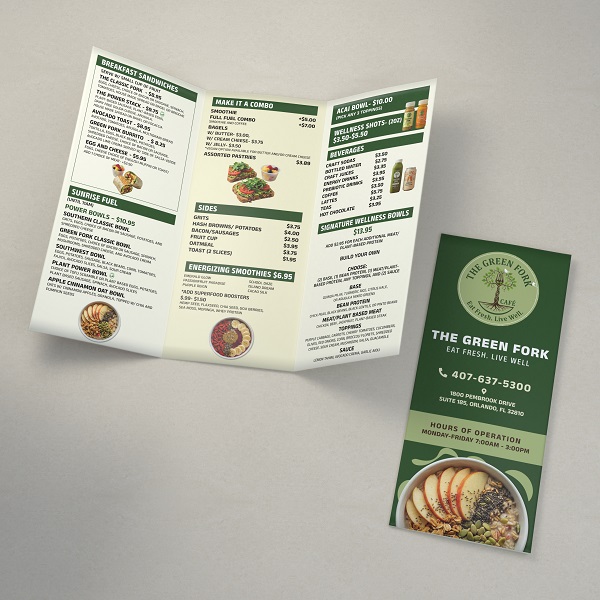
Prepare two single-page PDFs in landscape orientation. Place the three outside panels in one file and the three inside panels in the other.

Flat Trim Size11″ wide × 8.5″ high (US Letter, landscape).
Document Size with Bleed11.25″ wide × 8.75″ high. Set up the page at trim size and add 0.125″ bleed on each outer edge.
Panel LayoutThe panel that folds inside is slightly narrower so the brochure closes flat.
Bleed & Safe ZoneExtend backgrounds to the bleed edge. Keep text and logos at least 0.125″ inside the trim and at least 0.125″ away from each fold.
Color & ResolutionUse CMYK and images at 300 PPI at their final print size.
TypeUse at least 7 pt. We recommend 8 pt or larger for contact details. Embed fonts or convert them to outlines.
Upload Front · OutsideInclude the front cover, back cover, and fold-in flap on one page.
Upload Back · InsideInclude all three inside panels on one page in reading order. Keep both PDFs upright.
Preferred File TypeExport one print-ready PDF per side with bleed. Omit fold guides and printer’s marks from the exported files. Reopen both PDFs to check the artwork before uploading.

Tri-Fold Brochures

Use the outside panels for your cover, contact details, and a call to action. Open the brochure to reveal a full inside spread for your menu, services, or event schedule.

Pricing
Upload Design

Pricing

Upload Design

  • Max file size: 50 MBPermitted file types: jpg jpeg jpe gif png pdf

  • Max file size: 50 MBPermitted file types: jpg jpeg jpe gif png pdf

  • Enter the exact text you’d like on your flyer, along with any colors or layout ideas you have in mind.

  • Digital proofs are available upon request. If requested, production begins after proof approval.

  • Max: 201 characters

Price: